
What Is a Biometric System
A biometric system identifies a person from a body trait such as a fingerprint, a face or an iris, instead of a key, a PIN or a card alone. In a building it does two everyday jobs: it decides whether a door opens, and it records who arrived and when for time attendance.
This guide explains how a biometric system works from enrolment to the door relay, which parts you need, how accuracy is measured and what to plan for on a UAE site. Examples use NITGEN and Union Biometrics terminals sold on ubio.ae, with figures taken from the manufacturer specifications on each product page.
The Parts of a Biometric System
Every biometric system, from a single office door to a multi-site estate, is built from the same parts.
- Sensor: the fingerprint platen, face camera or iris camera on the terminal that captures the trait.
- Feature extractor: software that turns the captured image into a template, a compact set of numbers that describes the trait. The image itself does not need to be kept.
- Template store: the user database, held on the terminal, on a server or both.
- Matcher: compares a new capture against the stored templates and returns a match or no match.
- Decision and output: the terminal opens the door relay, sends a Wiegand signal to a controller, or writes an attendance event.
- Management software: the server platform that holds users, door rules, schedules and logs. ViRDI AC terminals run on UNIS and the UBio-X range runs on UBio Alpeta, as explained in our guide to ViRDI software .
Enrolment, Verification and Identification
A biometric system works in two stages.
Enrolment happens once. An administrator registers the user, the terminal captures the fingerprint, face or iris several times, and the system stores the resulting templates against that user ID.
Recognition happens at every door or clock-in, in one of two modes:
- Verification (1:1): the user first presents a card or ID, and the system compares the live trait with that one person’s template. It answers the question “is this really the card holder?”
- Identification (1:N): the user presents only the trait, and the system searches the whole database for a match. It answers the question “who is this?”
The mode changes how many users a terminal can handle. On the UBio-X Pro , for example, the manufacturer lists 200,000 face users for 1:1 verification and 30,000 for 1:N identification, and 500,000 fingerprint users for 1:1 against 100,000 for 1:N. Large workforces often pair a card with the biometric for this reason.
Which Trait the System Reads
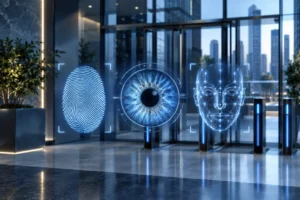
The trait you choose shapes the terminal, the install position and the user experience. Our guide to types of biometric devices compares the hardware in detail; the short version is below.
| Trait | Contact | Example terminal |
|---|---|---|
| Fingerprint | Touch | UBio-X Slim |
| Face and fingerprint | Contactless face, touch finger | UBio-X Pro |
| Face, fingerprint, card, QR and mobile | Contactless face, touch finger | UBio-X Face Pro |
| Iris and fingerprint | Contactless iris, touch finger | UBio-X Iris |
| Fingerprint and card, outdoor | Touch | ViRDI AC-2100 PLUS |
Fingerprint is the most familiar and cost-effective trait. Face suits busy entrances where people should not touch the reader. Iris suits sites that need contactless recognition with high accuracy; the UBio-X Iris reads at up to 50 cm, including through glasses, a mask, a niqab or a hijab. For a side-by-side view of the two most common traits, see fingerprint vs face recognition .
How Accuracy Is Measured
No biometric system is perfect, so manufacturers publish two error rates.
- False acceptance rate (FAR): how often the system wrongly accepts a different person. This is the security figure.
- False rejection rate (FRR): how often the system wrongly rejects the right person. This is the convenience figure.
The two move against each other: a stricter threshold lowers FAR and raises FRR. For the UBio-X Pro fingerprint sensor, the manufacturer quotes an FRR of 0.1% and an FAR of 0.0001%.
Matching speed matters too at busy doors. The UBio-X Pro matches 100,000 face templates within one second, and the UBio-X Iris matches 40,000 iris templates within one second, according to the manufacturer.
Liveness and Anti-Spoofing
A biometric system also has to tell a real person from a copy, such as a printed photo, a screen or a fake fingerprint. This check is called liveness detection or anti-spoofing.
The UBio-X Face Pro lists both face liveness detection and LiveFinger detection for its fingerprint sensor. When you compare terminals, check that liveness detection is listed for each trait you plan to use, not only for one of them.
Standalone or Networked
A biometric system can run in two ways.
- Standalone: users, templates and logs stay on the terminal. This suits a single door or a small office.
- Networked: terminals connect over TCP/IP to a server, so users are enrolled once and pushed to every door, and logs feed attendance reports in one place. This suits multi-door and multi-site installations.
Terminals also connect to the rest of the building. The UBio-X Face Pro, for example, lists Ethernet, RS-485, RS-232, Wiegand in and out, two relays and Wi-Fi, and supports on-premise or cloud server platforms. Wiegand output lets a terminal act as a reader for an existing access controller instead of replacing it.
Templates, Standards and Data Protection
Because a biometric system stores templates rather than photos of fingers or eyes, the format of those templates matters for security and for future upgrades.
- The UBio-X Face Pro stores fingerprint templates in UNION, ISO 19794-2 or ANSI-378 format, with a MINEX-certified extractor and matcher.
- The UBio-X Iris follows the ISO/IEC 19794-6:2011 iris image standard.
- The UBio-X Face Pro lists AES-256 encryption.
In the UAE, the Personal Data Protection Law (Federal Decree-Law No. 45 of 2021) treats biometric data as sensitive personal data. Plan who can enrol and delete users, where the server sits, how long logs are kept, and how staff are told that their biometric data is being collected.
How to Plan a Biometric System for a UAE Site
- Count users and doors: compare your headcount with the 1:N capacity of each terminal, and add a card for 1:1 verification if you exceed it.
- Pick the trait per door: fingerprint for cost, face for busy contactless entrances, iris for high-security or hygiene-sensitive areas.
- Check the environment: outdoor gates need an IP rating, and bright lobbies need a face camera rated for strong ambient light.
- Decide standalone or networked: one server platform per terminal family keeps users and logs in one place.
- Plan integration: confirm Wiegand or network links to existing controllers, locks and payroll or HR software.
- Set data rules: enrolment, retention and access to logs should be agreed before go-live.
FAQs
What are the main parts of a biometric system?
A sensor that captures the trait, a feature extractor that builds a template, a template store, a matcher that compares new captures, and an output such as a door relay or attendance record, managed from server software.
Does a biometric system store my fingerprint image?
Terminals convert the capture into a template, a numeric description of the trait, and match against that template. Check each model’s settings and your own retention rules for image logs.
What is the difference between 1:1 and 1:N?
In 1:1 verification the user presents a card or ID and the system checks one template. In 1:N identification the user presents only the trait and the system searches all templates. 1:1 supports more users per terminal.
Can one biometric system handle both access control and attendance?
Yes. The same terminal can open the door and record the event, and platforms such as UNIS and UBio Alpeta turn those events into attendance reports.
Which biometric trait is most accurate?
Iris is generally regarded as the most distinctive trait, which is why it is used in high-security sites. In practice, accuracy also depends on the sensor, the algorithm and whether the system uses 1:1 or 1:N matching.